
API Reference

The TalentUnveiled API is a RESTful API that allows you to programmatically manage jobs, candidates, interviews, and evaluations.

Base URL

https://api.talentunveiled.com/api/v1

Authentication

All API requests require an API key. Include your API key in the Authorization header.
1

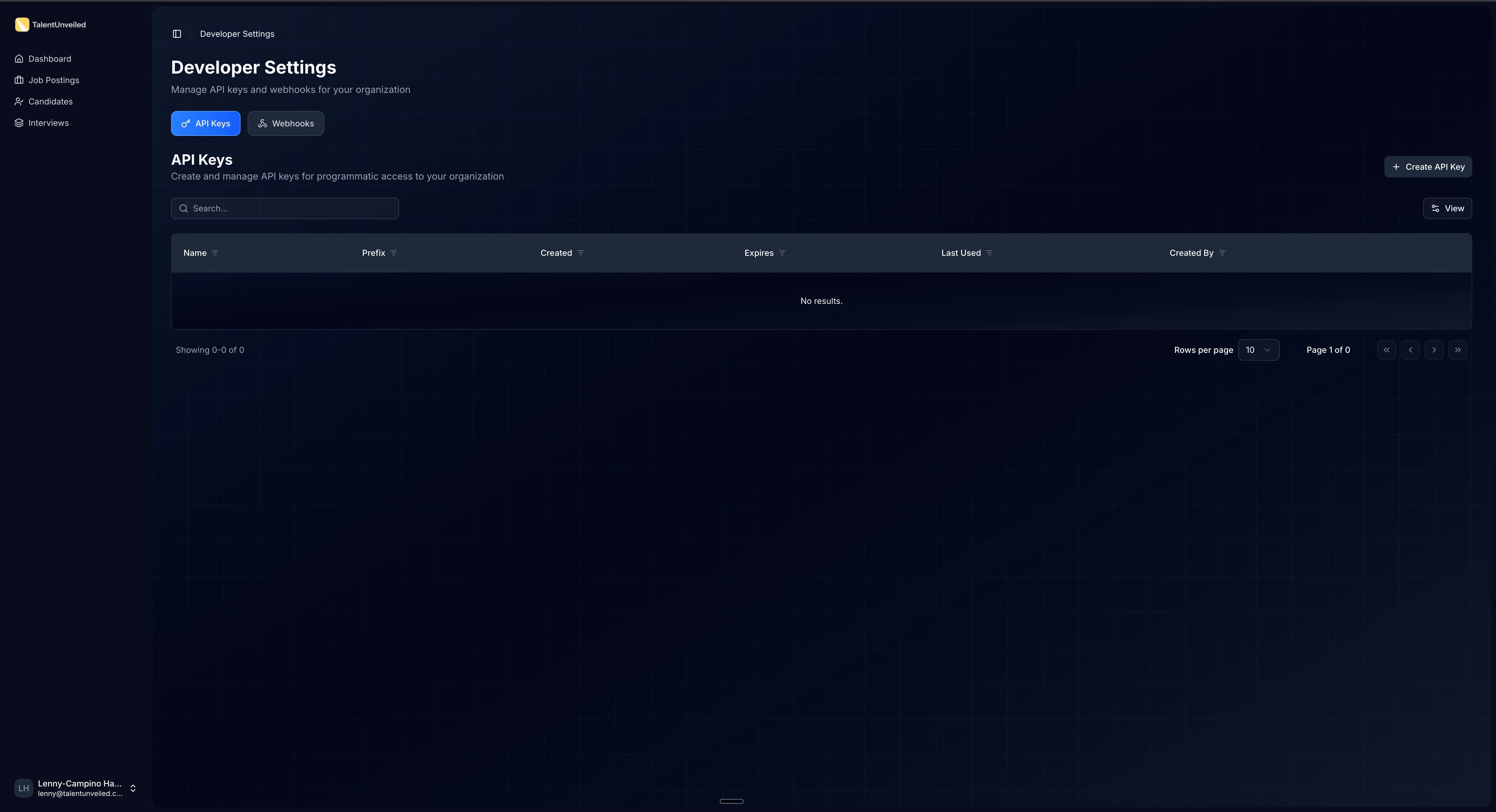
Open Developer Settings

Click your avatar in the bottom-left corner of the sidebar and select Developer Settings. Then open the API Keys tab.
Developer Settings page with API Keys tab active
2

Create an API key

Click Create API Key. Enter a Name (e.g., “Production API Key”) and an optional Expiry Date, then click Create.
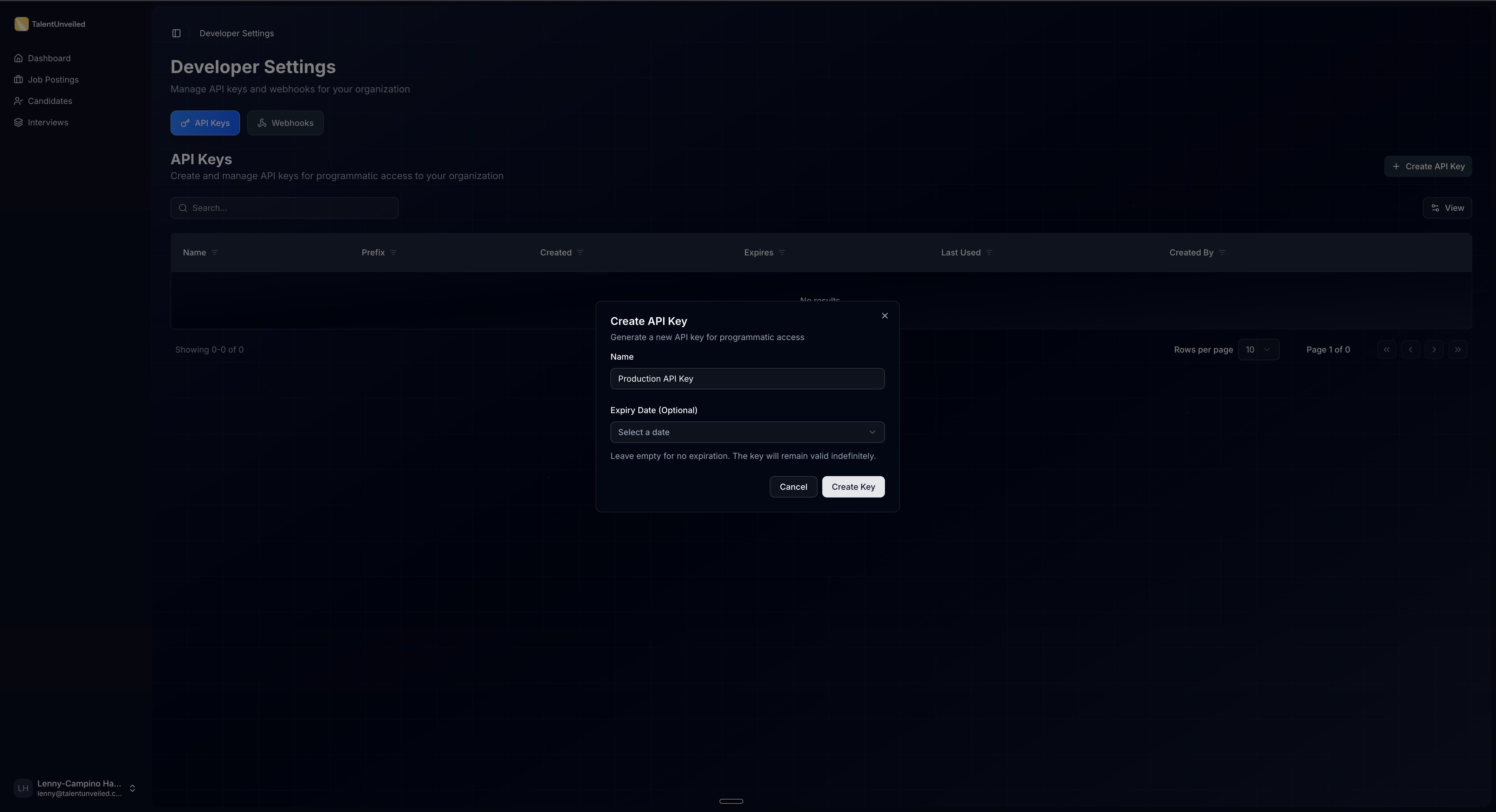
Create API Key dialog with Name and Expiry Date fields
3

Save your API key

The full key is displayed once and auto-copied to your clipboard. It follows the format sk-xxxxx.xxxxxxxxxxxxxxxxxxxxxxxxxxxxxxxx.
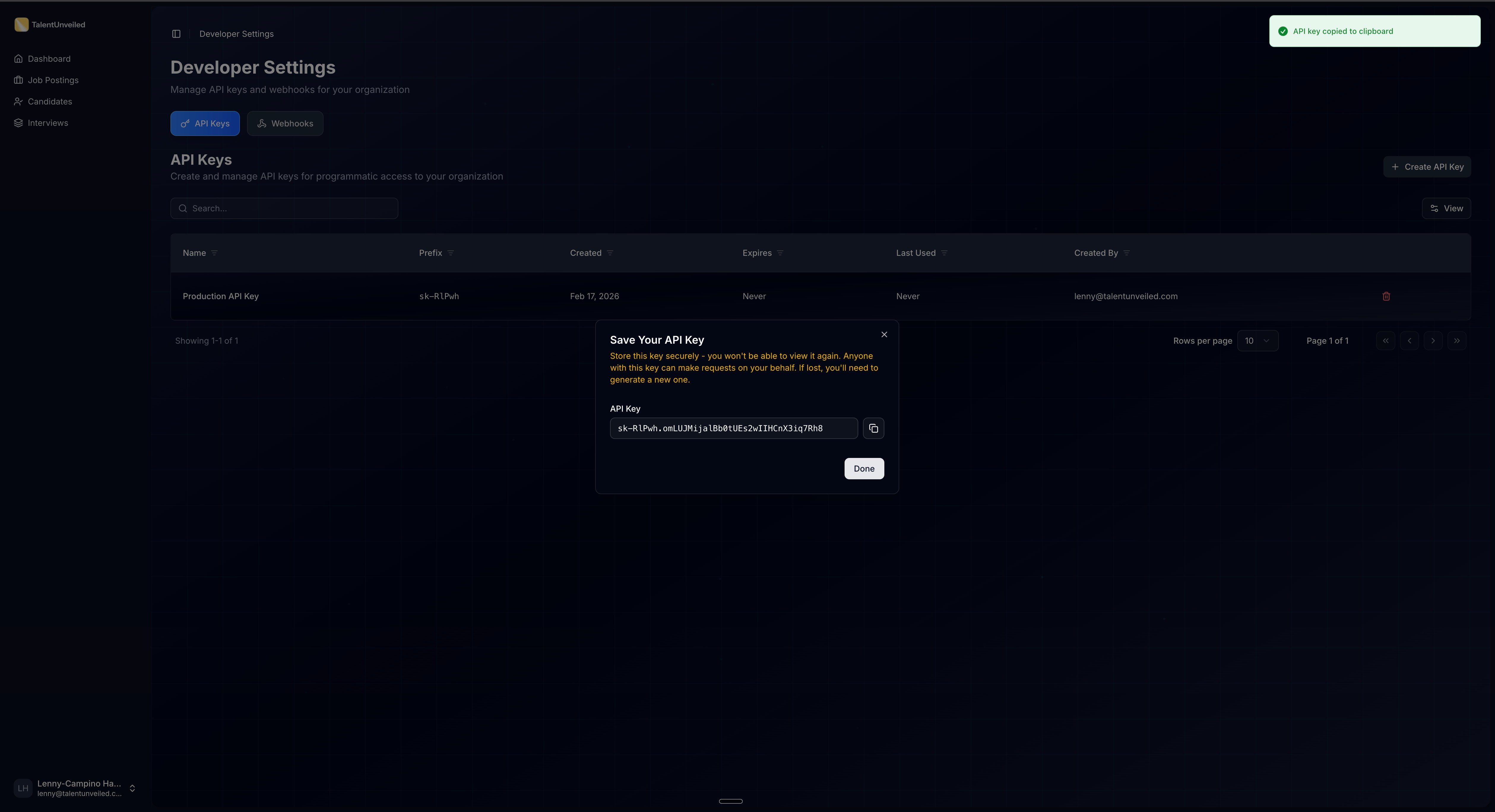
API key revealed dialog with copy button
The API key is only shown once. Store it in a secure location immediately — you cannot retrieve it later. If you lose it, delete the key and create a new one.
4

Make your first request

Include the key in the Authorization header:
curl -H "Authorization: Bearer <your_api_key>" \
  https://api.talentunveiled.com/api/v1/jobs/
Keep your API keys secure. Do not share them in public repositories or client-side code.

Error Response Format

All error responses return a JSON array of error objects. Each object contains:
code
string
required
Machine-readable error code from a fixed set of values.
detail
string
required
Human-readable error message describing what went wrong.
attr
string | null
required
The field name that caused the error. null for non-field errors.
Validation error example:
[
    {
        "code": "required",
        "detail": "This field is required.",
        "attr": "email"
    },
    {
        "code": "invalid_input",
        "detail": "Enter a valid URL.",
        "attr": "website"
    }
]
Authentication error example:
[
    {
        "code": "not_authenticated",
        "detail": "Authentication credentials were not provided.",
        "attr": null
    }
]

Common Error Codes

CodeDescription
errorGeneric server error
invalid_inputValidation failed on the provided input
parse_errorMalformed request body (invalid JSON)
authentication_failedInvalid API key
not_authenticatedMissing Authorization header
permission_deniedValid key but insufficient permissions
not_foundResource does not exist
method_not_allowedHTTP method not supported on this endpoint
requiredA required field was not provided
does_not_existA referenced related object was not found
invalid_file_typeUploaded file type is not supported
file_too_largeUploaded file exceeds the size limit

HTTP Status Codes

Status CodeDescription
200Success
201Resource created
204Success with no response body
400Bad request — check the error response for details
401Unauthorized — invalid or missing API key
403Forbidden — insufficient permissions
404Not found — the resource doesn’t exist
413Payload too large — uploaded file exceeds the size limit
500Server error — contact support

Pagination

List endpoints return paginated results using limit and offset query parameters.
limit
integer
default:"20"
Maximum number of results to return per page.
offset
integer
default:"0"
Number of results to skip before returning.
GET /api/v1/jobs/?limit=20&offset=40
Paginated responses include metadata for navigating through results:
{
  "count": 42,
  "next": "https://api.talentunveiled.com/api/v1/jobs/?limit=20&offset=20",
  "previous": null,
  "results": [...]
}
FieldDescription
countTotal number of results across all pages
nextURL for the next page, or null if on the last page
previousURL for the previous page, or null if on the first page
resultsArray of resource objects for the current page

Explore the API

Browse the auto-generated API reference below, built from our OpenAPI specification. Each endpoint includes request/response examples and parameter descriptions.