

Enable Webhooks
1
Open Developer Settings
In the HR portal, open the sidebar and navigate to Developer Settings, then select the Webhooks tab.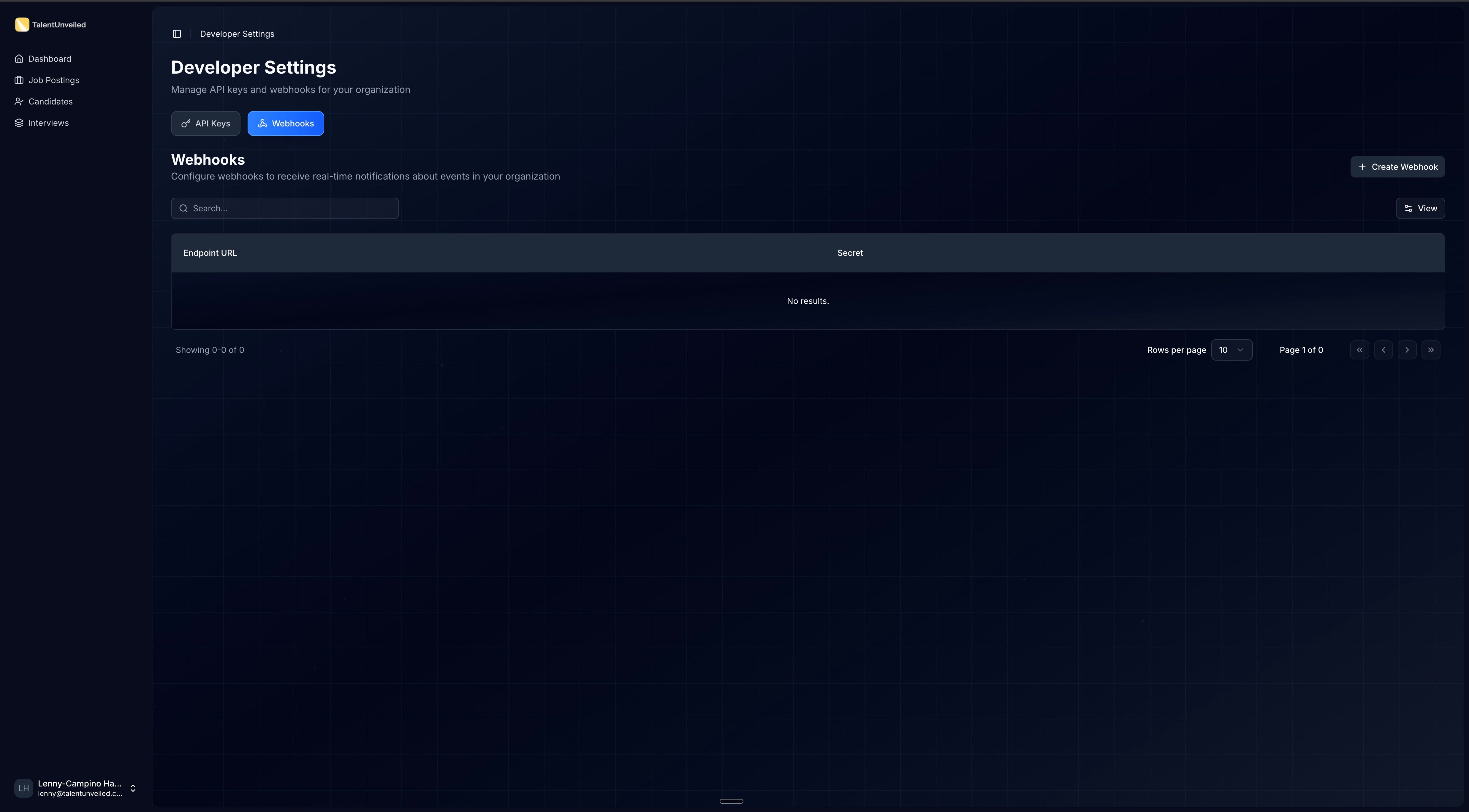
2
Create a webhook endpoint
Click Create Webhook. In the dialog that appears, enter your Endpoint URL (e.g., 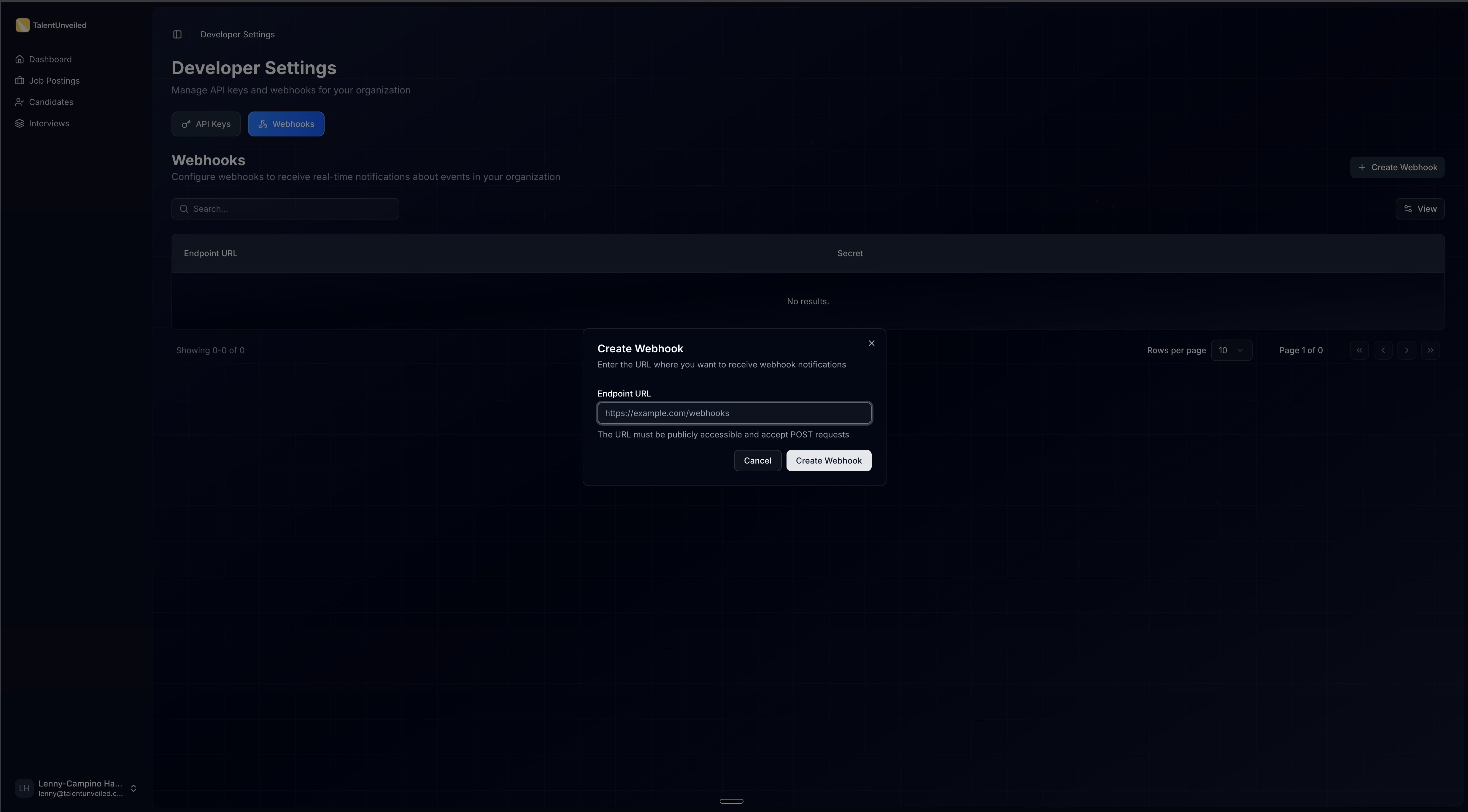
https://your-app.com/webhooks) and confirm.3
Save your signing secret
After creation, a dialog displays your signing secret (prefixed with 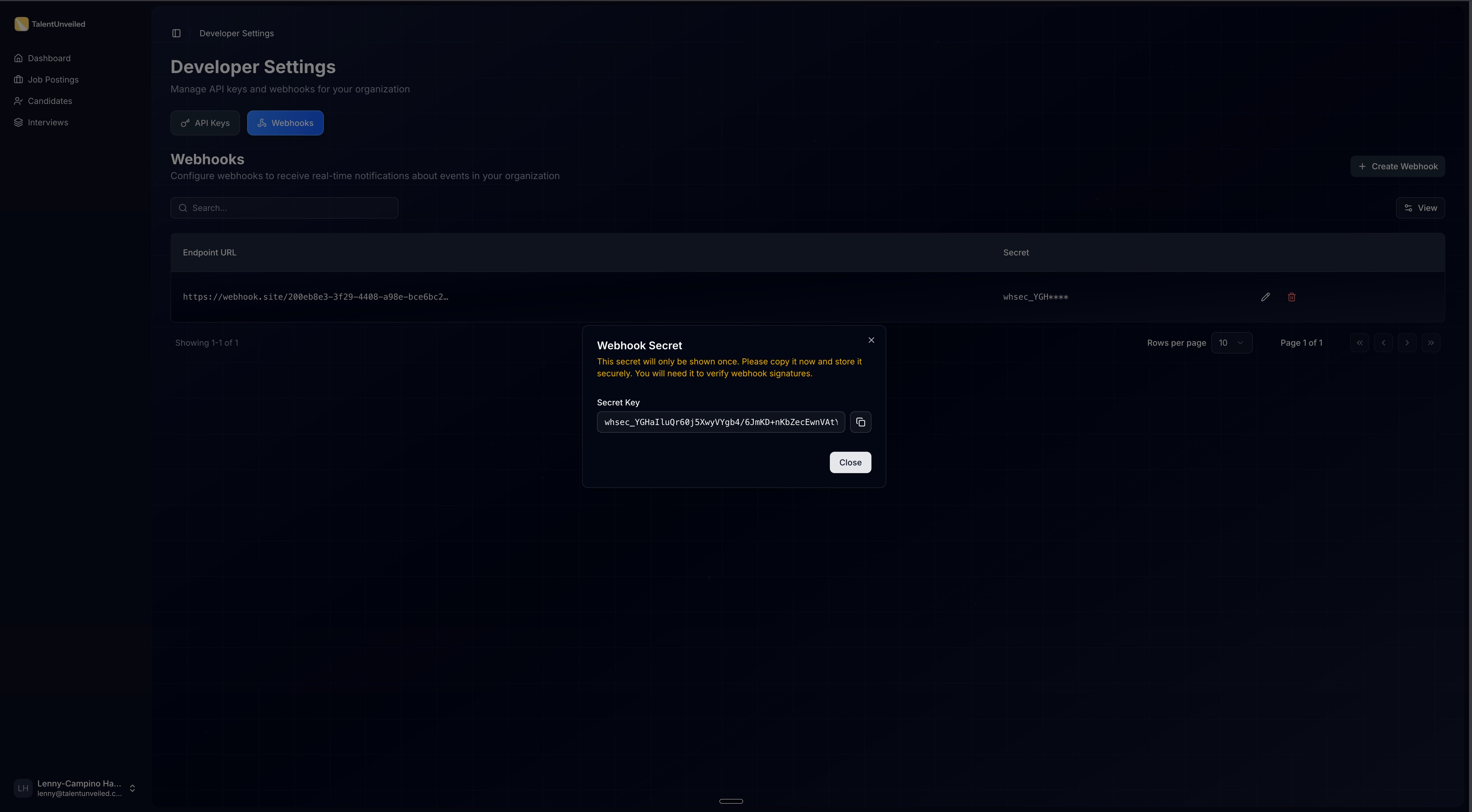
whsec_). It is automatically copied to your clipboard. You’ll use this to verify webhook signatures.4
Start receiving events
Once your endpoint is registered, TalentUnveiled will send HTTP POST requests to your URL whenever subscribed events occur. Your endpoint should return a
2xx status code to acknowledge receipt.Available Webhooks
All webhook payloads share this envelope structure:Every endpoint you register receives all event types. Branch on the
event_type field and ignore the events you
don’t handle.job_application.deleted
Fired when an HR portal user deletes a job application. The payload is a snapshot of the application captured
immediately before the record is removed. Treat this as the definitive “record is gone” signal — any associated
interview, CV evaluation, and insights data are removed along with the application.
Example payload
Example payload
interview.completed
Fired when a candidate’s AI interview finishes and scores are ready. The payload carries enough to triage (score,
eligibility, a short summary, strengths/weaknesses/red flags) without a follow-up call. For the full transcript,
per-criteria scores, and per-question detail, fetch the interview by payload.interview.id via the API.
Example payload
Example payload
Verifying Signatures
The signature is computed over a specific message string using HMAC-SHA256:- Extract the
webhook-id,webhook-timestamp, andwebhook-signatureheaders from the request. - Concatenate the signed content:
{webhook-id}.{webhook-timestamp}.{body} - Compute the HMAC-SHA256 hash using your base64-decoded signing secret.
- Compare the result against the signature header using a constant-time comparison function.
Testing Webhooks
During local development, use a tunnel service like ngrok or localtunnel to expose your local server to the internet and receive webhook deliveries.- Respond with a
200status code as quickly as possible, then process the payload asynchronously. Webhook deliveries will time out if your endpoint takes too long to respond. - Log incoming payloads during development to inspect the data structure before writing your handler logic.
Design your webhook handler to be idempotent. Use the
webhook-id header to detect duplicate deliveries — the
same event may be sent more than once during retries.Retries & Deactivation
Failed deliveries are retried up to 6 times with exponential backoff, starting at 2 minutes and increasing by a factor of 4 up to a maximum interval of 8 hours.A
2xx response is considered successful. Any other response — including 4xx, 5xx, or a timeout — triggers a
retry.Upcoming Events
Only
job_application.deleted and interview.completed are currently available. The events below are planned for
future releases.
Need a specific event prioritized? Contact us at support@talentunveiled.com.